Product

AI-powered accounting automation

Auto-publish on your software of choice, train AutoEntry on your ways of working, and sync invoices to open purchase orders.

Rating starRating starRating starRating starHalf rating star
Xero ratings
Rating starRating starRating starRating starHalf rating star
Quickbooks ratings
Rating starRating starRating starRating starHalf rating star
Capterra ratings

Product capabilities that empower accountants and businesses
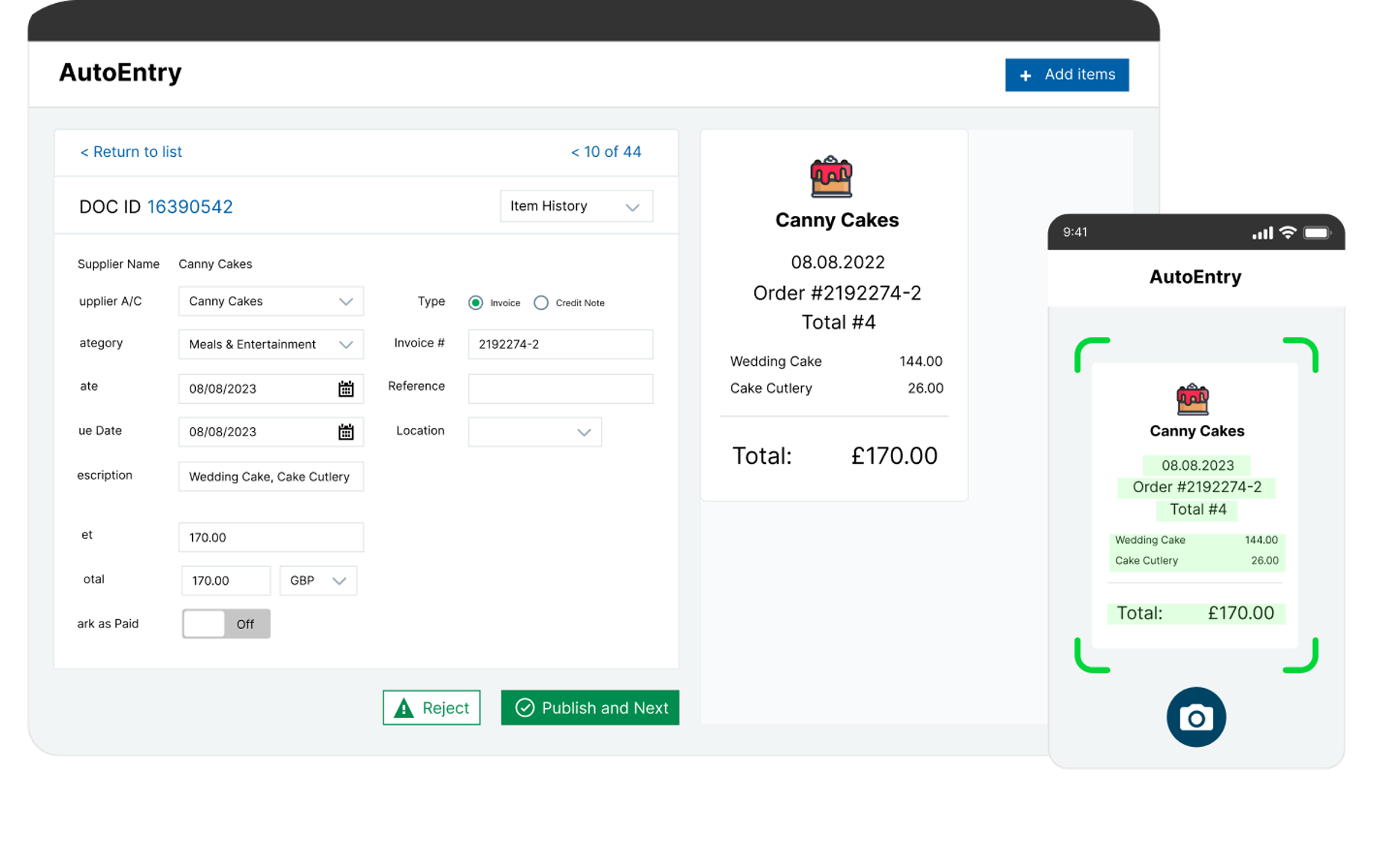
AutoEntry does the bookkeeping groundwork for any number of clients. Just scan the paperwork, auto-forward email, or take a snap using our mobile app. Then categorise and publish to the accounting ledger – and you’re done!

AutoEntry uses optical character recognition (OCR) and the same machine learning that powers artificial intelligence. By ensuring you’re at the forefront of accounting technology, you retain clients as well as saving time and reducing errors.

AutoEntry is up to 99% accurate, with always-on data quality checks. This means you can avoid keying errors and typos. With the data entry taken care of, managing deadlines like Self Assessment is easy.

The more you use AutoEntry, the smarter it gets. AutoEntry’s machine learning will auto-suggest VAT codes and supplier accounts to speed up your admin processes.

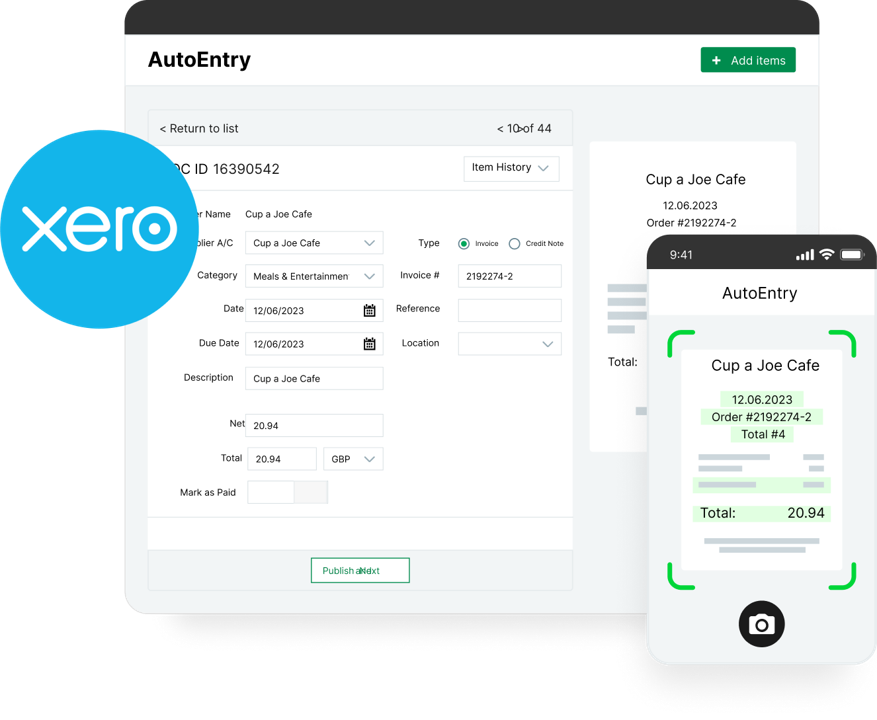
AutoEntry connects seamlessly with HMRC-recognised accounting platforms like Xero, Sage, QuickBooks, and more, so your records are always MTD-ready.

Automated bookkeeping

Just scan and go

AutoEntry does the bookkeeping groundwork for any number of clients. Just scan the paperwork, auto-forward email, or take a snap using our mobile app. Then categorise and publish to the accounting ledger – and you’re done!

Powered by AI and OCR

Save time, reduce errors

AutoEntry uses optical character recognition (OCR) and the same machine learning that powers artificial intelligence. By ensuring you’re at the forefront of accounting technology, you retain clients as well as saving time and reducing errors.

Accuracy and efficiency

Up to 99% accurate

AutoEntry is up to 99% accurate, with always-on data quality checks. This means you can avoid keying errors and typos. With the data entry taken care of, managing deadlines like Self Assessment is easy.

Auto-suggestions

For VAT codes and suppliers

The more you use AutoEntry, the smarter it gets. AutoEntry’s machine learning will auto-suggest VAT codes and supplier accounts to speed up your admin processes.

Intergrations

Plug straight into your accounting software

AutoEntry connects seamlessly with HMRC-recognised accounting platforms like Xero, Sage, QuickBooks, and more, so your records are always MTD-ready.

AI-poweredaccounting automation and data entry

Uncover insights faster and drive higher performance with AI built for accounting.

AutoEntry integrates seamlessly with accounting software

AutoEntry connects with HMRC-recognised accounting platforms like Xero, Sage, and QuickBooks — so your records are always MTD-ready.

See AutoEntry in action

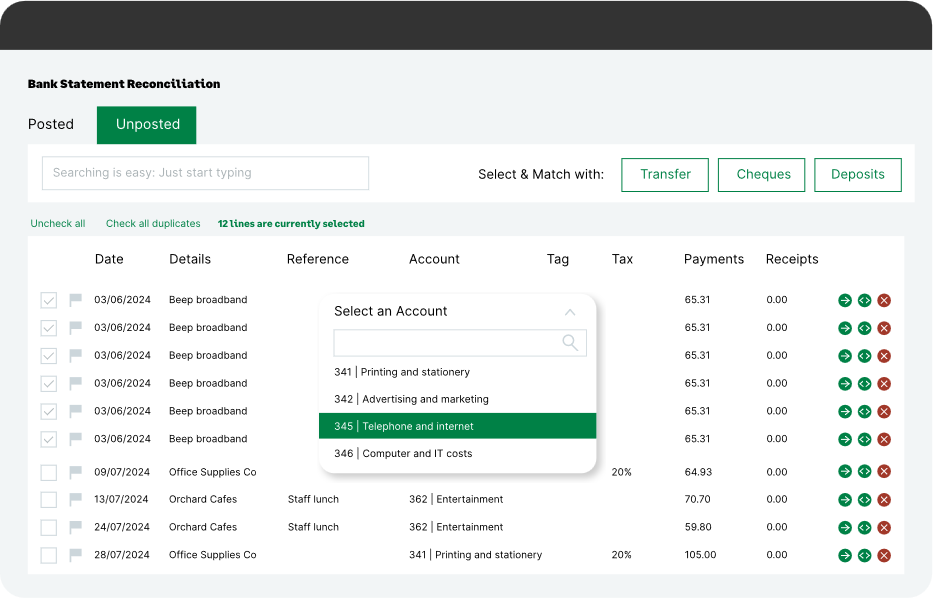
AutoEntry captures the data from your invoices, receipts and bank statements. You categorise them and then publish them through to accounting software.

How AutoEntry works: A step-by-step overview

1. Capture

Choose your invoice, receipt or bank statement and photograph, scan or upload it.Submit your document through to AutoEntry, which will verify your data and pass it back to you.AutoEntry is extremely accurate when it comes to interpreting and sourcing information from your documents. You will not find a competing software that’s better at line item capture.

Icon of a person pulling a green folder filled with gray files, some displaying silhouettes and text, suggesting document categorization.

2. Categorise

The next step is to place that document in the correct category. AutoEntry is filled with great features that will help you to automate the categorisation of your documents. Every feature you use will reduce manual intervention, cutting down on errors and drastically reducing time spent on manual data entry.‍

Icon of a person sitting on a large gear, checking a green clock, symbolizing how the data moves to other accounting solutions.

3. Publish

"Publishing" means moving data onto the accounts software. ‍When you have captured and categorized your documents, all you need to do is click on the publish button! Now, processing begins.Processing times are fast, and the more you use it, the faster it gets. AutoEntry has reliable integrations with just about every accounting software. Introduce AutoEntry into your processes and your workflow will get faster, easier and more accurate almost immediately.

AutoEntry mobile app

Snap and submit on the go

AutoEntry’s mobile app makes business easier, whether you’re on the move or you’re dealing with someone who is. 

The app allows you to upload, snap and scan receipts and invoices with your mobile device. Not only is this a faster, leaner way to do business, but it also cuts down on the handling, storing and transportation of paper documents.

More about the app

Work smarter anywhere with our data entry software

Icon of a person sliding down a paper ramp from a smartphone featuring an envelope, symbolizing easy use.

Scan, snap and upload on the go

  • Upload your data from mobile. Instead of a scanner or email, take snaps!

  • A marvel for remote working. Say goodbye to paper documents and receipts.

  • Simplify accounting—the app makes it easier for clients to get data to accountants instantly and electronically.

Why AutoEntry stands out from the competition

Magnifying glass icon representing high line item accuracy in document data capture


Industry-leading line item accuracy

Icon illustrating seamless integration with major accounting software platforms


Seamless integration with all major accounting platforms

Mobile-first design icon showing on-the-go document uploads via smartphone


Mobile-first design for on-the-go uploads

Illustration of smart document capture technology that improves accuracy over time


Smart learning that speeds up the process the more it’s used

Secure cloud storage icon representing GDPR-compliant data protection


GDPR-compliant & secure data storage

Tailored solutions for accountants, bookkeepers, and SMEs

Illustration showing automated receipt processing and accurate data entry for accountants and bookkeepers

For accountants and bookkeepers

Our product simplifies accounting tasks, from automating data entry to ensuring accurate financial reporting. Whether you're managing multiple clients or streamlining your internal processes, our solution helps you save time, reduce errors, and stay compliant.

Discover how we help accountants & bookkeepers

Illustration representing automated document management and accounting workflows for small and medium-sized businesses

For small and medium-sized businesses

Designed with small and medium-sized businesses in mind, our solution automates key accounting functions, freeing up valuable time for you to focus on growth. Improve efficiency, reduce manual workloads, and ensure accurate financial management with ease.

Discover how we help SMEs

No contracts

Rolling monthly subscriptions mean you can cancel your plan at any time (up to 24 hours before renewal).

Flexible pricing

Only pay for what you need, with no hidden fees. Easily downgrades your plan for quieter months, or upgrade for peak times.

Unlimited users

All AutoEntry plans come with unlimited users and cloud storage as standard.

No feature paywalls

Every AutoEntry plan gets access to all features. We don’t hold anything back so that everyone can make the most out of their subscription.

Trusted by thousands of accountants and businesses

Robust. Very little you can throw at AutoEntry that it can't sort. 

Martin Tregonning 

Tregonning and Co Ltd 

I love AutoEntry for Bank Statement feed into Sage Business Cloud. It has saved me a lot of time manually keying in each line entry. It is quick, efficient and accurate. It's been a game changer for me :-) 

Gemma Gage 

Absolute Bookkeeping 

I love the Supplier Statement Reconciliation. It has saved me hours and made each month end process a lot easier to manage for some of my larger clients 

Natasha Everard 

Bewitching Bookkeeping 

We use AutoEntry a lot to increase the use of automated processes and help clients keep more records electronically 

Jessica Walton 

Sargeant Partnership 

Once we introduced AutoEntry and the individuals saw how easy it was to use the AutoEnrty app it was like that "Light bulb moment" Trying to get receipts became a thing of the past. Having an unlimited amount of users on each account has meant every one could do their part and make the headache of chasing receipts a distant memory. 

Paul Rushworth 

Your Business Books 

It saves me a lot of time inputting and coding invoices with the integration with Sage. Love the bank statements function for smaller clients. so quick and easy to use. 

Angela Moore 

AM Accountancy & Office Management Ltd 

Auto entry speeds up many data entry tasks and improves activity. It is easy to train clients to use. 

Natasha Potter 

Platt Rushton Chartered Accountant LLP 

FAQs

Can my staff, colleagues, and clients also use AutoEntry?

Yes! AutoEntry allows you to create as many user accounts as you wish, at no extra cost.

Can I use AutoEntry with more than one business?

Yes! You can create multiple companies within AutoEntry, and connect each to individual accounting ledgers. All of this can be done within your subscription, with no need to take out another subscription.

Does AutoEntry have a free trial?

Yes! AutoEntry’s free trial entitles you to 25 free credits, with no time limit to use them. That’s enough to upload up to 25 invoices or receipts. No card details required.

What documents does AutoEntry let me scan?

AutoEntry can extract data from all of the most common financial paperwork: receipts, invoices/bills, expenses, supplier statements, bank statements and more.

Do I need to sign up for a contract with AutoEntry?

Not at all! AutoEntry is a simple rolling monthly subscription. You can cancel this at any time, up to 24 hours before your next renewal date. If you require additional credits, perhaps for an increased workload, you can purchase these in addition to the credits provided by your monthly subscription.

Can I use AutoEntry on my laptop or desktop computer?

Yes, as well as our App, you can access the AutoEntry dashboard using a web browser from all popular operating systems, including Microsoft Windows, macOS, and Linux.

Is AutoEntry for accountants or businesses?

AutoEntry is designed for both accountants/bookkeepers and small to medium-sized businesses (SMEs), acting as an AI-powered tool to automate data entry from financial documents.

Why businesses love AutoEntry

“We consider AutoEntry to be a best-in-class data entry solution. Our clients use AutoEntry to accurately automate data entry from large batches of documents.”
Thomas Drohan
,
..
Commercial Director
n
at
Clue

Smart, accurate, automated.

Get started with AutoEntry in minutes. No credit card required. Cancel whenever you want.
Book a 1:1 demo with a product expert and/or take out a free trial.