Accounts Payable Automation: What It Is and How It Works
Manual accounts payable workflows slow down processing speeds, introduce costly errors, and obscure cash flow visibility. Accounts payable (AP) automation software solves this by automating invoice capture, data extraction, and direct syncing into your accounting system. This guide explores how AP automation works, its key benefits, and how to select the right tool to eliminate repetitive bookkeeping tasks for your team.

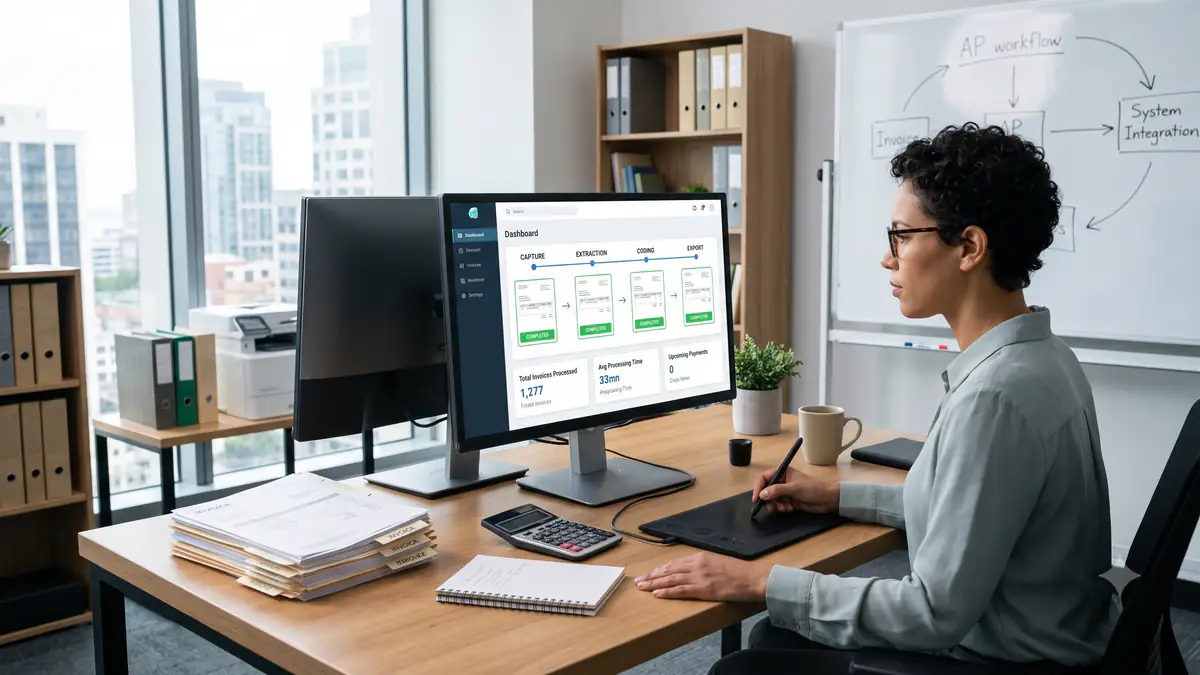
Accounts payable teams are no strangers to operating under pressure, constantly needing to process invoices quickly, eliminate costly errors, and maintain flawless financial records. Using manual processes for these tasks is no longer enough, and modern AP departments need a reliable, more efficient approach to keep up.
Accounts payable (AP) automation software streamlines these repetitive tasks, including invoice capture, data extraction, coding, and direct export into accounting systems. While manual processes often slow down invoice processing and increase the risk of lost supplier invoices, automated solutions for traditional AP processes offer a practical way to reclaim your time. In this guide, we will explore what accounts payable automation is, how it works, its core benefits, use cases, and how to choose the right software for your team.
Key Takeaways
- Accounts payable automation software helps finance teams reduce manual invoice processing and eliminate repetitive data entry.
- Automated AP workflows can improve accuracy, accelerate reviews, and provide better real-time visibility into invoice statuses.
- The right AP automation software should integrate seamlessly with your existing accounting systems and align with your current workflows.
- Intelligent tools such as AutoEntry help businesses capture invoice data, extract detailed line items, and publish accurate information directly to their ledger.
What Is Accounts Payable Automation?
Accounts payable automation, also known as AP automation, uses specialised software to streamline key stages of your payable processes and approval workflows. The AP automation process starts when supplier invoices arrive and continues through automated invoice capture, optical character recognition (OCR) data extraction, supplier recognition, and review workflows. By digitalising these steps, the software prepares accurate data for payment or accounting review, helping to eliminate the bottleneck of manual invoice processing.
Unlike traditional, manual accounts payable, which depends heavily on staff typing, verifying, and routing paper invoices by hand, modern AP automation solutions minimise time-consuming administrative tasks. The increased invoice processing speeds that stem from the process directly affect supplier relationships, cash flow management, VAT records, and the daily workload of your finance teams.
Where Manual Accounts Payable Processes Fall Short
Relying on manual accounts payable workflows no longer works. This approach exposes a business to administrative delays, operational errors, and hidden processing costs that impact your entire company. When team members handle every document individually, the entire accounts payable department can slow to a crawl.
- Manual tasks take time: Hand-keying information from paper invoices or email attachments slows down payment processing speeds and consumes hours that your finance teams could spend on higher-value tasks.
- Errors can be costly: A simple typo in supplier names, VAT details, or invoice totals can lead to incorrect or duplicate payments, creating frustrating reconciliation issues later.
- Approvals can be difficult to track: Without an automated financial system, invoices frequently get stuck in email inboxes or physical trays, making it hard to identify who needs to approve a payment.
- Visibility is limited: Manual processes leave managers without real-time data on invoice statuses, making cash flow planning and month-end close far more difficult.
- Scaling becomes harder: As your business grows, invoice volumes naturally increase. Handling this growth manually usually requires hiring more administrative staff, which raises overall invoice processing and general processing costs.
- Cash flow planning can suffer: Slow, manual AP tasks delay the recording of liabilities in your accounting system, leaving you with an incomplete view of upcoming payment commitments.
Benefits of Accounts Payable Automation
Implementing AP automation completely changes how your business manages its processes. Replacing outdated practices with modern AP automation platforms creates a more predictable, cost-effective finance department, leading to more efficient workflows, greater visibility, and happier clients.
The most impactful benefits of AP automation software include:
Less manual data entry
Automation software removes the need to manually input data such as supplier names, invoice numbers, dates, line items, and VAT details. The technology automatically handles the extraction, letting your team focus on validation rather than typing.
Faster invoice processing
Automated invoice capture and instant data extraction allow documents to move through your review workflows rapidly, helping you consistently meet your supplier payment terms.
Improved accuracy
By reducing human error through consistent OCR and automated invoice matching, your business enjoys cleaner ledger entries. The software validates values before exporting, preventing common mistakes.
Better visibility over invoices
Digital platforms track every document from invoice receipt to final export. You can view invoice statuses instantly, improving internal controls and audit readiness.
Stronger supplier relationships
Paying supplier invoices accurately and on time helps you build trust and potentially negotiate early payment discounts. It also reduces the time spent handling supplier queries about missing payments.
Cleaner records for VAT, reporting, and reconciliation
AP automation eliminates the manual errors that corrupt reporting, supporting precise cash flow management, straightforward bank reconciliation, and reliable VAT reporting. Storing digital records ensures your business remains fully compliant with guidelines like Making Tax Digital while keeping your historical data secure, organised, and easily accessible during audits.
How Accounts Payable Automation Works
To understand how accounts payable automation works, it is helpful to view it as a series of connected steps rather than a single piece of software. While the exact workflow depends on your chosen AP automation tools, the entire accounts payable process follows a reliable sequence designed to secure sensitive financial data and improve efficiency.
1. Capture invoices from different sources
Supplier invoices are entered into the system through multiple channels. The software streamlines invoice capture; invoices from emails, scans, uploads, paper invoices, or electronic invoicing are gathered into a centralised digital queue.
2. Extract key invoice data
Using OCR and data entry automation software, the system identifies and extracts crucial details. This includes supplier names, invoice numbers, dates, line items, tax rates, and total amounts.
3. Review and validate the information
Before any data reaches your ledger, the software highlights the details of the invoice capture process for human review. Finance teams can quickly verify that the scanned details match the physical invoice.
4. Categorise invoices and prepare them for accounting review
The system applies custom rules, supplier histories, and tax codes to auto-categorise the expenses. This step reduces repetitive coding tasks and prepares the transaction for matching or the invoice approval process.
5. Send invoice data into accounting software
Once approved, the validated data is published directly into your core accounting system or enterprise resource planning (ERP) system. This direct transfer eliminates duplicate data entry and keeps your financial records perfectly synchronised.
6. Keep records organised for reporting and reconciliation
Digital records are stored securely in the cloud, enabling rapid search and retrieval and making bank reconciliation, internal audits, and cash flow reporting much faster and completely paperless.
Common Use Cases for Accounts Payable Automation
Every finance department has its own unique bottlenecks, but the underlying operational challenges of managing supplier invoices remain remarkably consistent. Seeing how other organisations apply modern AP automation platforms can help you identify clear optimisation opportunities within your own team. From high-growth businesses handling diverse invoice formats to accounting firms balancing multiple client ledgers, automating accounts payable solves highly specific, real-world operational headaches.
Capturing invoices from email, scans, uploads, and mobile apps
Businesses with distributed teams or on-the-go managers use mobile capture and email integration to centralise invoices, ensuring no documents are lost in transit.
Processing invoices from regular suppliers
For recurring utility bills or raw material invoices, automating accounts payable allows systems to automatically apply specific nominal codes and tax treatments based on historical data.
Extracting full line item details
Companies that require deep inventory tracking or project-based cost allocation use advanced tools to capture line-by-level details, rather than just the invoice total.
Reducing bookkeeping admin for client accounts
Accountants and bookkeepers managing multi-client portfolios use automated extraction to standardise data ingestion, dramatically reducing processing time per client.
Preparing invoice data for accounting software
By verifying tax details and supplier profiles prior to export, teams ensure that only pristine, pre-coded data is entered into their primary accounting software.
Supporting supplier statement reconciliation and reporting
With all invoice details digitally indexed, matching statements against vendor ledger entries becomes effortless. This transparency supports payment automation and cash flow management, ensuring you can resolve vendor discrepancies swiftly.
Common Challenges of Accounts Payable Automation
While transitioning away from manual workflows offers undeniable advantages, implementing a new AP automation system isn't without its challenges. Companies moving to AP automation face real-world operational challenges that can disrupt finance teams if left unaddressed. Understanding these potential hurdles—from messy data inputs to software friction—is not about discouraging automation, but about building a resilient and prepared strategy.
Poor invoice data quality
If suppliers send blurry PDFs, handwritten receipts, or poorly formatted invoices, extraction software may struggle to read them accurately. Teams must still be prepared to handle these exceptions.
Disconnected accounting systems
Using an AP tool that does not natively integrate with your existing accounting software can create fragmented records, defeating the purpose of automation.
Overcomplicated workflows
Trying to build highly complex, rigid approval structures can slow down invoice processing and introduce friction to the invoice approval process.
Lack of internal adoption
If a new system is unintuitive or difficult to navigate, team members might resist using it. It is vital to select software that aligns with your current team's habits and offers a gentle learning curve.
Expecting automation to remove every manual check
Automation is designed to handle repetitive admin, but it does not replace financial oversight. Your finance teams must still review high-risk invoices, spot-check transactions, make manual account adjustments, and manage strategic supplier relationships to maintain reliability. Viewing automation as an assistant rather than a total replacement ensures your business maintains safe, accurate, and compliant bookkeeping standards.
Best Practices for Automating Accounts Payable
Without a structured roadmap, even the most sophisticated AP software can end up underutilised or misaligned with your broader business objectives. To secure a seamless transition and achieve the highest possible return on your investment, your finance team should establish clear operational guardrails from day one. Consider adopting these proven industry best practices to streamline your AP workflows, maintain financial control, and set your team up for long-term operational success.
Start with the most repetitive AP tasks
Focus your initial AP automation efforts on the tasks that consume the most time, such as manual data entry of vendor invoices and checking supplier details.
Clean up supplier and invoice data
Before launching your new system, review your supplier master data to delete duplicates, update tax codes, and check purchase orders. Clean inputs lead to far more accurate automation outputs. This preparation helps the software learn your vendor layouts faster.
Keep human review where it matters
Establish clear thresholds for when human intervention is required, such as invoices above a certain value, new vendors, or unexpected price variances. This maintains necessary financial safeguards.
Track results after implementation
Monitor key metrics, including average processing time, error rates, invoice processing costs, and time saved per month. Reviewing these figures helps you fine-tune your workflows and demonstrate the clear business value of your automation software. Celebrating these early efficiency wins also encourages wider internal adoption across the entire accounts payable department.
How to Choose the Right AP Automation Software
Finding the perfect software partner for your finance team is a critical decision that goes far beyond ticking boxes on a technical feature list.
In a market crowded with modern AP automation solutions, the challenge lies in separating flashy interfaces from tools that actually solve your day-to-day bookkeeping bottlenecks. The ideal platform must not only handle your immediate processing volume but also scale alongside your business while maintaining absolute accuracy and data security.
To help you navigate this decision with confidence, consider focusing on these essential criteria when evaluating AP automation software for your organisation.
Look for accurate invoice data extraction
The heart of any AP tool is its optical character recognition capability. Ensure the software extracts critical header and tax data reliably, so you don't spend time correcting system errors.
Check for full line item extraction
If your business manages complex purchase orders or detailed inventory, you need software that extracts individual line items, descriptions, and quantities rather than just invoice totals.
Prioritise accounting software integrations
Your chosen platform must connect directly with your core accounting package. Deep integration enables automated ledger mapping and instantaneous data syncing, saving hours of manual reconciliation work.
Consider ease of use for finance teams
The interface should be straightforward and clean, resulting in positive user feedback and swift adoption. If your bookkeepers and accountants find the system difficult to use, adoption will stall, and the benefits will be lost.
Review approval and workflow needs
Decide whether you require simple data capture and publishing, or if your business needs a broader platform with multi-level approval routing, procurement systems sync, and purchase order matching.
Assess support and scalability
As your business expands, your invoice volumes will rise. Choose a vendor that offers reliable, local support and a flexible pricing model that scales with your business needs. Having a dependable partner ensures that system updates or changing tax regulations never disrupt your payable workflow.
Simplify AP Workflows With AutoEntry
AutoEntry offers a practical, highly accurate solution for businesses, accountants, and bookkeepers who want to eliminate the burden of manual data entry and invoice automation. By focus-targeting the most repetitive parts of the invoice capture and extraction process, AutoEntry streamlines your accounts payable workflows while keeping you firmly in control.
AutoEntry's capabilities include:
- Automated data extraction: Capture supplier invoices, receipts, and bank statements with high precision.
- Full line item extraction: Extract detailed line-level data, including descriptions, unit prices, and quantities.
- Intelligent categorisation: AutoEntry learns from previous entries, automatically proposing the correct supplier accounts and VAT codes.
- Flexible document intake: Submit documents easily via email forwarding, direct web upload, or our dedicated mobile app.
- Seamless ledger integration: Sync directly with leading accounting software, including Sage, Xero, QuickBooks, FreeAgent, KashFlow, and ClearBooks.
By preparing clean, structured data for your accounting platform, AutoEntry acts as an efficient bridge that reduces administrative overhead without overcomplicating your existing approval processes. It empowers your finance team to spend less time typing and more time analysing data, bringing newfound confidence to your bookkeeping.
Moving from Manual AP to Smarter Invoice Processing
Transitioning to accounts payable automation represents a significant step toward modernising your financial operations. Moving away from manual accounts payable helps your business reduce administrative delays, eliminate expensive human errors, and gain much clearer visibility over your upcoming liabilities.
AutoEntry provides a direct, reliable, and user-friendly path to achieving these outcomes. Automating document capture and ledger publishing removes the complexity of manual data entry while maintaining the essential human controls your business relies on.
Ready to experience a faster, more accurate way to manage your invoices? Sign up for a free trial of AutoEntry today and see how easy automation can be.
Frequently Asked Questions
What is accounts payable automation?
Accounts payable automation, or payable automation, is the use of software to streamline repetitive AP tasks. This includes digital invoice capture, OCR data extraction, coding, and the automated transfer of financial information into your accounting software.
Is AI taking over accounts payable tasks?
No, artificial intelligence is not replacing human teams. While advanced tools automate data extraction and flag coding anomalies, human intelligence and oversight remain essential for final reviews, exceptions, payment authorisation, and maintaining strong supplier relationships.
What software do you use to automate accounts payable?
The right choice depends on your specific workflow. Businesses often combine accounting software (such as Sage or QuickBooks) with dedicated data capture tools, such as AutoEntry, to automate invoice data extraction, eliminate manual data entry, and keep ledger records perfectly organised.