Travel and Expense Management Automation for Accountants and Bookkeepers
Capture. Approve. Publish.

Bring expense capture and approvals together
Business travel creates a trail of receipts, claims and follow-up tasks.
When those details sit across wallets, inboxes, spreadsheets and paper forms, expense management becomes harder than it needs to be. Receipts go missing. Claims arrive late. Finance teams spend extra time chasing information before expenses can be approved and recorded.
AutoEntry brings the process into one digital workflow, from receipt capture to approval and publication.
Capture receipts as expenses happen
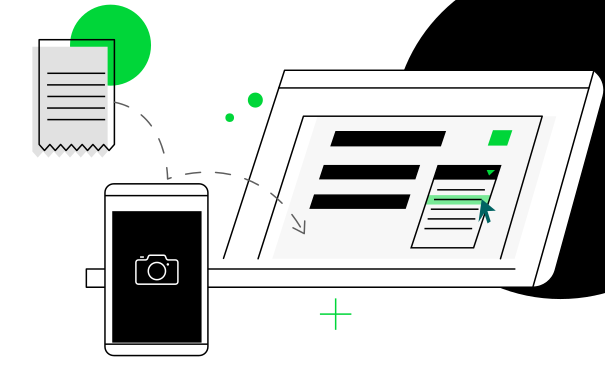
With the AutoEntry mobile app, employees can snap receipts as soon as they pay for a meal, taxi, hotel or other business expense. OCR technology extracts the receipt data and uploads it to the system, helping keep records accurate and up to date.
Employees can upload instantly, select images from their photo gallery and add notes or descriptions before submission.
Fewer missing receipts. Less paperwork. No end-of-trip scramble.

Create, submit and approve expense reports
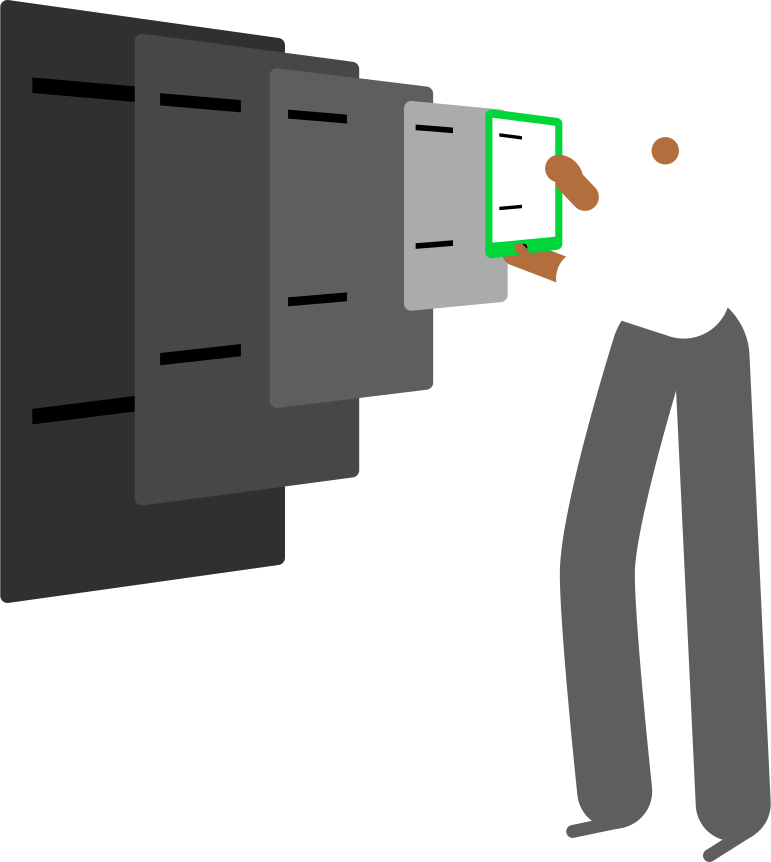
AutoEntry helps employees group related expenses into reports, attach supporting documents and identify reimbursable items before submission. Managers can then review, approve or reject expense reports within the platform.
Employees get a clearer view of claim status, while finance teams get a documented approval trail without relying on email chains.
Publish approved expenses to your accounting software
Once expenses are approved, AutoEntry helps publish the data directly into supported accounting software, reducing duplicate entry and keeping financial records up to date.
AutoEntry integrates with Sage, Xero, QuickBooks, FreeAgent, KashFlow and Reckon, helping connect expense management with the accounting workflows your team already uses.
Key Features
Mobile receipt capture
Extract supplier details, invoice numbers, dates, and transaction amounts from supplier invoices with less manual entry.

OCR data extraction
Extract receipt details automatically from uploaded images and documents, reducing the need for manual entry.

Expense report creation
Group related expenses into reports, attach supporting documents and submit complete claims for approval.

Reimbursable expense tracking
Mark expenses as reimbursable so finance teams can manage claims more clearly.

Approval Workflows
Route expense reports to designated approvers for review, approval or rejection within AutoEntry.

Digital expense records
Store receipts, reports and supporting documents alongside extracted data for easier search, review and record keeping.

Accounting software integrations
Publish approved expense data into supported accounting platforms including Sage, Xero, QuickBooks, FreeAgent, KashFlow and Reckon.

Bookkeeping automation workflows
Manage expense records alongside receipt capture, invoice processing, bank statement extraction and supplier statement reconciliation.

Mobile receipt capture
Capture receipts from the AutoEntry mobile app on iOS and Android, so employees can submit expenses while details are still fresh.
OCR data extraction
Extract receipt details automatically from uploaded images and documents, reducing the need for manual entry.
Expense report creation
Group related expenses into reports, attach supporting documents and submit complete claims for approval.

Reimbursable expense tracking
Mark expenses as reimbursable so finance teams can manage claims more clearly.

Approval workflows
Route expense reports to designated approvers for review, approval or rejection within AutoEntry.

Digital expense records
Store receipts, reports and supporting documents alongside extracted data for easier search, review and record keeping.

Accounting software integrations
Publish approved expense data into supported accounting platforms including Sage, Xero, QuickBooks, FreeAgent, KashFlow and Reckon.

Bookkeeping automation workflows
Manage expense records alongside receipt capture, invoice processing, bank statement extraction and supplier statement reconciliation.

Built for accountants, bookkeepers and growing businesses
A single expense touches multiple people before it reaches the accounts.
Finance teams need accurate records. Managers need visibility into company spending. Accountants need organised data that can move efficiently from review to publication.
AutoEntry helps keep everyone working from the same set of records throughout the process.
- Unlimited users on every plan
- Unlimited client companies
- Shared access across teams
- Centralised document management
- Consistent approval processes
Whether you're supporting a single business or managing multiple clients, AutoEntry helps reduce the administrative work associated with travel and expense management.
Ready to automate travel and expense management?
Instead of chasing receipts, reviewing spreadsheets and processing paper forms, teams can manage travel expenses through a clearer workflow from submission to approval and publication.
Ready to automate travel and expense management?
No credit card required.
Travel and Expense Management Automation FAQ
Travel and expense management automation uses software to streamline how businesses capture, approve, reimburse and report employee expenses. By automating routine tasks and approval workflows, businesses can reduce manual administration and gain better visibility into company spending.
Yes. Employees can capture receipts and submit expenses directly from the AutoEntry mobile app on iOS and Android devices.
Expense reports can be routed to designated approvers who can review, approve or reject submissions within AutoEntry before they are published to your accounting workflow.
Yes. AutoEntry integrates with Sage, Xero, QuickBooks, FreeAgent, KashFlow, Reckon and other accounting platforms. Approved expense data can be published directly to supported accounting software.
Yes. Receipts, expense reports and supporting documents are stored alongside extracted data, creating a searchable digital record that supports compliance and audit requirements.
Yes. Every AutoEntry plan includes unlimited users and unlimited client companies, making it suitable for accounting firms, bookkeeping practices and businesses managing multiple entities or large volumes of financial documents.