Purchase Order Software for Accountants and Bookkeepers
Match. Review. Publish.

Bring invoice capture and PO matching together
When supplier invoices come in, the details need to be captured, checked against the original purchase order, and reviewed before anything moves forward. That is where manual matching can start to slow teams down.
AutoEntry helps bring those steps into one workflow. Upload supplier invoices, extract the data automatically, match them to existing purchase orders, and review anything that needs attention before publication.
Your team gets a clearer path from invoice receipt to approval.
Capture the invoice details first
AutoEntry uses OCR and artificial intelligence to extract key details from supplier invoices, including supplier information, invoice numbers, dates, and transaction amounts.
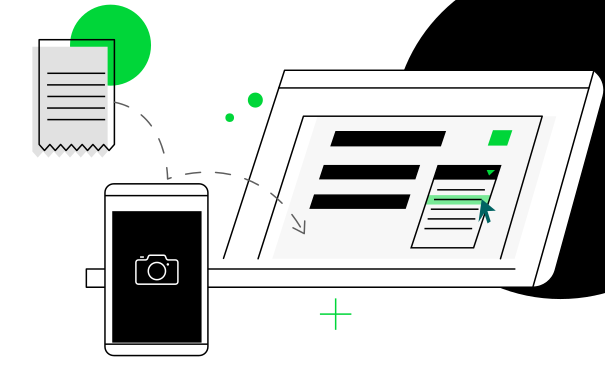
Invoices can be uploaded through the web platform, mobile app, or email upload feature. AutoEntry captures the information and prepares it for review, so your team is not starting the matching process with manual data entry.

Review matches and exceptions clearly
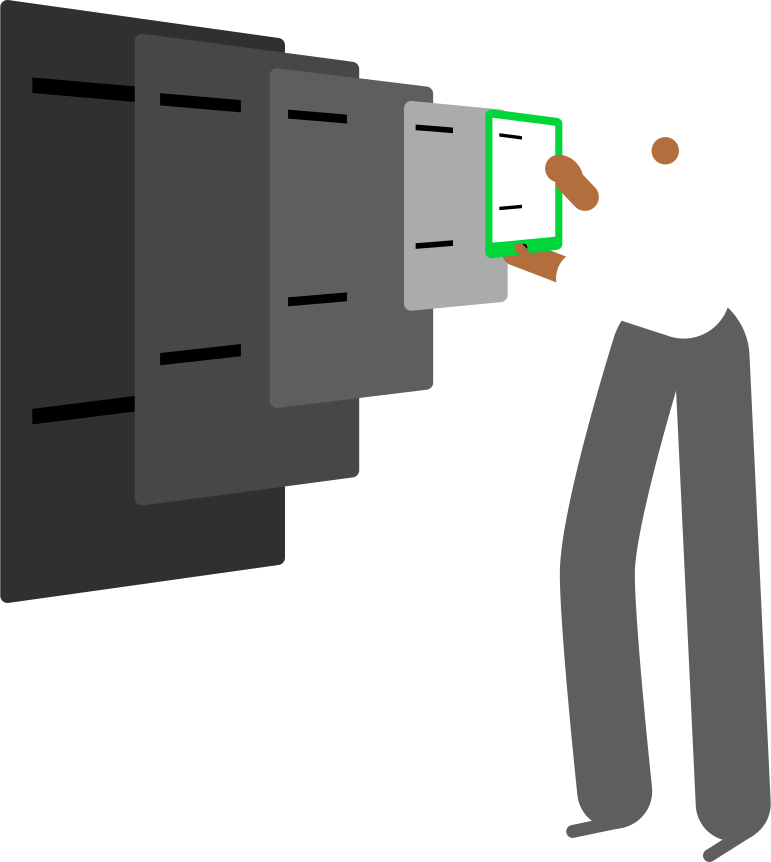
AutoEntry helps teams review matched information and identify discrepancies before invoices are published. That means your team can focus on exceptions instead of checking every document line by line.
When something needs attention, it is easier to pause, review, and correct it before the transaction moves into your accounting system.
Publish into your accounting workflow
AutoEntry supports purchase order matching within connected accounting workflows and integrates with Sage Accounting, Sage 50, QuickBooks Online, Xero, FreeAgent, KashFlow, and Reckon.
Purchase order matching functionality may vary depending on the accounting software and integration being used. By connecting with your accounting platform, AutoEntry helps reduce duplicate work and keeps invoice data aligned with the systems your team already uses.
Key Features
Automated invoice capture
Extract supplier details, invoice numbers, dates, and transaction amounts from supplier invoices with less manual entry.

Purchase order matching
Match supplier invoices to purchase orders already created within supported accounting software.

Exception review
Spot unmatched information before publication so teams can focus on the invoices that need attention.

Receipt and invoice processing
Process supplier invoices, receipts, and supporting documents in one workflow.

Supplier statement reconciliation
Support more of the accounts payable process by helping manage supplier statements alongside invoice workflows.

Expense management workflows
Capture and process expense documents in the same platform to reduce manual work across everyday bookkeeping tasks.

Centralised document management
Keep invoices, purchase orders, and supporting records organised and easier to access.

Unlimited users and companies
Work across teams, clients, and entities without limiting access to the people who need it.

Cloud storage and audit trail
Store original documents and extracted data together for easier search, review, record keeping, and audit visibility.

Accounting software integrations
Connect AutoEntry with leading accounting platforms to reduce manual transfer between systems.

Automated invoice capture
Extract supplier details, invoice numbers, dates, and transaction amounts from supplier invoices with less manual entry.
Purchase order matching
Match supplier invoices to purchase orders already created within supported accounting software.
Exception review
Spot unmatched information before publication so teams can focus on the invoices that need attention.

Receipt and invoice processing
Process supplier invoices, receipts, and supporting documents in one workflow.

Supplier statement reconciliation
Support more of the accounts payable process by helping manage supplier statements alongside invoice workflows.

Expense management workflows
Capture and process expense documents in the same platform to reduce manual work across everyday bookkeeping tasks.

Centralised document management
Keep invoices, purchase orders, and supporting records organised and easier to access.

Unlimited users and companies
Work across teams, clients, and entities without limiting access to the people who need it.
Cloud storage and audit trail
Store original documents and extracted data together for easier search, review, record keeping, and audit visibility.

Accounting software integrations
Connect AutoEntry with leading accounting platforms to reduce manual transfer between systems.

Built for growing workloads
Manual purchase order matching becomes harder to manage as invoice volume grows. More suppliers, more clients, and more entities can quickly turn simple checks into a slow accounts payable process.
AutoEntry helps teams keep up by combining invoice capture, data extraction, purchase order matching, and document management in one workflow.
Whether you manage invoices for one business or many clients, AutoEntry helps accounts payable work move faster without adding more admin.
Try AutoEntry By Sage
With automated extraction, accounting software integrations, unlimited users and companies, and cloud-based document storage, teams can move from invoice receipt to publication with less manual work.
Ready to streamline your purchase order process?
Capture invoices automatically. Match purchase orders faster. Publish with confidence.
No credit card required.
Purchase Order Software FAQ
Purchase order software helps businesses create, track and manage purchase orders throughout the purchasing process. Many solutions include features for order management, approvals and invoice processing. AutoEntry supports purchase order workflows by helping users match supplier invoices to existing purchase orders within their accounting software.
AutoEntry focuses on invoice processing and purchase order matching. Purchase orders are typically created within your accounting software, while AutoEntry helps automate the review, matching and publication process that follows.
Once invoice data has been extracted, users can match supplier invoices against existing purchase orders created within their accounting software. This helps verify that invoices align with approved purchasing activity before publication and supports a more efficient purchase order process.
Yes. AutoEntry integrates with Sage, Xero, QuickBooks Online, FreeAgent, KashFlow, Reckon and other accounting platforms to help streamline accounts payable workflows.
Yes. Every AutoEntry subscription includes unlimited users, unlimited client companies and unlimited cloud storage, making it suitable for accounting firms and bookkeeping practices managing multiple clients.
By automating invoice data extraction, supporting purchase order matching workflows, and improving invoice management, AutoEntry helps reduce manual processing and allows finance teams to spend less time entering data and more time reviewing exceptions and approvals. Stronger invoice management also supports finance and procurement teams by improving budget visibility and helping control costs.