Best receipt scanner apps for accountants in 2026
Capturing a receipt is the easy part. The time goes on everything after it: checking what the app has read, correcting the fields it got wrong, matching the receipt to a transaction and getting it into the right client's books. Across a full client list, the difference between an app that simply stores an image and one that genuinely removes manual entry soon adds up. Here's how six receipt scanner apps compare, who each one is really built for, and how to choose the right fit for your workload.

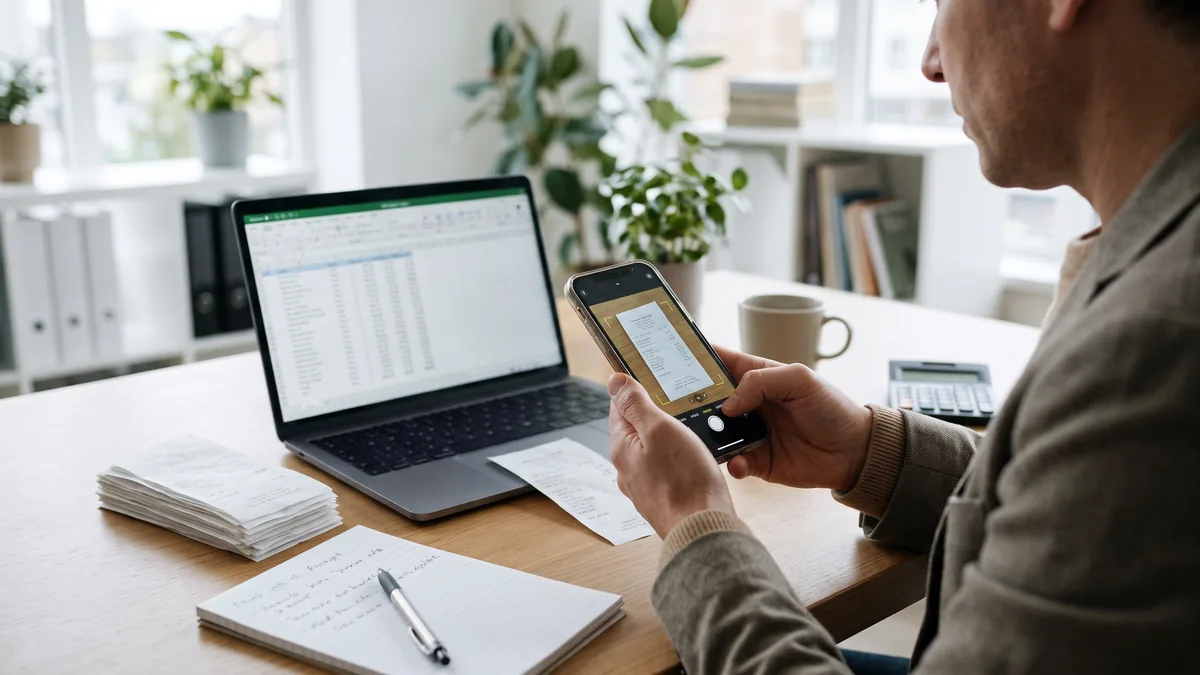
Scanning a receipt takes seconds. Getting the information from that receipt into the books accurately, with minimal correcting, chasing, and re-entering, is where accountants and bookkeepers can lose time.
The best receipt scanner apps for accounting workflows can do more than just save an image. Depending on the tool, they can extract financial data, match receipts to transactions, support reviews and approvals, and move verified information into accounting software. The right choice depends on the work you need the software to handle.
Which receipt scanner apps are best for accountants?
Different receipt scanner apps may be a better fit for your business, depending on your situation. For example, AutoEntry is a strong option for accountants and bookkeepers managing financial documents across multiple clients, while Dext is designed around practice-level bookkeeping automation. Hubdoc may suit firms that primarily use Xero, while QuickBooks Online users can capture receipts within their existing accounting platform. Expensify and Zoho Expense are more focused on employee expense management.
Note: Product features, plans, and pricing in this guide were checked in August 2026. They should be verified again before making a purchase decision in 2027.
What should accountants look for in a receipt scanner app?
A good receipt scanner app should reduce the work required to turn a receipt into a reliable accounting record. Look at how the tool captures documents, extracts data, handles review, and connects with your accounting software. Pricing should also make sense for the number of clients, users, and documents you process.
Optical character recognition (OCR) accuracy can matter, but it should not be the only deciding factor. Vendor accuracy figures may be based on different documents, fields, and testing methods, so percentages are not always directly comparable.
For accountants and bookkeepers, four areas deserve particular attention:
- From capture to accounting: Check whether the app only stores a digital receipt or can extract information and move it into your bookkeeping process.
- Review and control: Look at how the software handles uncertain information, corrections, duplicates, and approvals.
- Practice fit: Consider how clients or employees submit documents and whether the platform works across the accounting systems your firm supports.
- Cost at your actual volume: Pricing may be based on documents, clients, or users. Calculate what your normal workload would cost rather than comparing entry-level prices alone.
Less manual handling is useful when the resulting records remain accurate and reviewable. The goal is not to remove human involvement at any cost, but to reduce repetitive work while keeping appropriate checks in place.
How we selected these receipt scanner apps
The products below are recommended by use case rather than ranked from first to last.
We considered their documented receipt-capture capabilities, the accounting workflows they support, current integrations, and how their pricing models fit different types of users. Our research did not identify an independent head-to-head study showing that one of these products has the highest OCR accuracy or delivers the best return on investment across every accounting workflow.
That distinction matters because the products grouped under “receipt scanner apps” are not all trying to do the same job. Some focus on pre-accounting document processing, some provide receipt capture inside accounting software, and others are built around employee expenses.
6 best receipt scanner apps for accountants in 2026
AutoEntry: Best for accountants and bookkeepers managing multiple clients
AutoEntry is designed for accountants, bookkeepers, and businesses that want to reduce manual entry from financial documents. Receipts can be captured alongside invoices, supplier statements, and bank and card statements, giving practices one system for several common document-processing tasks.
For accounting and bookkeeping practices, AutoEntry includes unlimited client companies, users, and cloud storage. Its pricing is usage-based: credits are consumed when documents are processed, with an expense receipt currently using one credit. Users can submit paperwork via the mobile app or email, then categorise extracted information before publishing it to supported accounting software.
That model can be useful for firms supporting many clients because the cost is tied to processing rather than adding licenses for each client or user. The other side of that model is that firms should estimate how many documents they expect to process before choosing a credit allowance.
AutoEntry also extends receipt capture into employee expense management. Its travel and expense management automation lets employees capture receipts, group expenses into reports, and send them for approval before approved data is published into supported accounting software.
Best fit: Accounting and bookkeeping practices that want receipt capture as part of a wider financial-document workflow, particularly when managing multiple client companies.
Dext: Best for practice-level bookkeeping automation
Dext is another receipt capture option built with accounting and bookkeeping practices in mind. Its practice plans combine document submission, data extraction, and categorisation with functions such as supplier rules, approvals, expense claims, and publishing to accounting platforms.
Dext currently offers Practice Essentials and Practice Advanced for accountants and bookkeepers. Both are priced per client per month with a minimum of 10 clients, and Dext states that its practice offering supports more than 36 accounting software integrations.
That makes the pricing structure different from a usage-based platform. A practice with a stable portfolio of active clients may prefer predictable per-client billing, while firms with many low-volume clients may want to compare the cost against alternatives that charge according to processing.
Our research did not identify independent comparative evidence showing that Dext extracts receipts more accurately than AutoEntry or another competitor. The more useful comparison is how each platform fits the firm's client numbers, document mix, and accounting systems.
Best fit: Practices looking for receipt and invoice capture within a wider bookkeeping workflow and comfortable with per-client pricing.
Hubdoc: Best for businesses and practices already using Xero
Hubdoc is particularly relevant to Xero users because Xero says its business-edition subscriptions include a Hubdoc organisation. Users can upload bills and receipts, extract document information, and publish documents into Xero.
There is now another option inside the same ecosystem. Xero's Smart Document Capture is included with its business-edition subscriptions and can extract information such as the contact, date, amount, reference number, and line items from supported files. Xero can then look for a matching transaction or let the user create an accounting transaction from the extracted information.
For an existing Xero customer with straightforward receipt volumes, the included tools may eliminate the need to pay for separate receipt scanning software.
The calculation can change for accounting practices that support several platforms or process more varied documents. In that situation, a separate document-capture system may be a better fit than building the process around a single accounting ecosystem.
Best fit: Xero-based businesses and practices that want receipt and bill capture without immediately adding another paid platform.
QuickBooks Online: Best for businesses already using QuickBooks
QuickBooks Online also shows why a dedicated receipt scanner app is not always necessary.
Users can upload receipts from a computer or mobile device, and QuickBooks extracts information to create a transaction for review. The receipt can then be edited, added to an account, or matched with an existing transaction. QuickBooks also supports sending receipts by email.
For a small or medium-sized business already keeping its books in QuickBooks, this can reduce system switching because receipt capture and accounting occur on the same platform.
The limitation is scope. QuickBooks Online is an accounting platform with receipt-capture functionality, not software bought solely for scanning receipts. A business choosing a complete accounting system should consider its broader accounting requirements rather than basing the decision solely on receipt scanning.
Accounting firms managing clients across several platforms may also prefer a separate capture tool rather than relying on each client's accounting software.
Best fit: Businesses already using QuickBooks Online that need straightforward receipt capture and transaction matching inside their accounting system.
Expensify: Best for employee expense and spend workflows
Expensify approaches receipt scanning from a different direction. Its SmartScan feature can create an expense from a photographed or uploaded receipt, and receipts can also be fed into expense reports for submission, approval, and reimbursement. Approved reports can be exported into connected accounting systems.
That makes it more relevant when the main problem is employee spending rather than collecting bookkeeping documents from clients.
Its pricing reflects that focus. Current Expensify workspace pricing is based on the number of members, with plan and subscription choices affecting the cost. Some plans can also receive discounts linked to qualifying Expensify Card usage.
For businesses that need expense reports, approvals, and reimbursements, those functions may be a good match. An accountant who primarily wants to process client receipts, supplier invoices, and financial statements may be looking for a different type of product.
Best fit: Businesses where receipt scanning forms part of an employee expense-reporting and approval process.
Zoho Expense: Best for small teams starting with expense management
Zoho Expense also combines receipt scanning with employee expense management.
On its current United States pricing page, Zoho Expense includes receipt Autoscan powered by artificial intelligence (AI), expense reports, and accounting integrations. The free plan supports up to 3 users and includes 20 Autoscans per user per month, while paid plans increase the scanning allowance and provide additional expense-management controls. Zoho Expense currently integrates with accounting platforms including Zoho Books, QuickBooks Online, and Xero.
That free starter tier makes Zoho Expense worth considering for small teams that want to test digital receipt management before committing to a larger paid plan.
It is still primarily an expense-management product. Accounting practices looking to process receipts alongside invoices, bank statements, and other client bookkeeping documents should compare their scope against dedicated financial document capture platforms.
Best fit: Small teams that need receipt capture as part of an employee expense process and want a free starting option.
Do you need a dedicated receipt scanner app?
Note: Not every business needs separate receipt scanning software. If you process relatively few receipts and your existing accounting platform already captures, stores, and matches them, its built-in tools may be enough. Specialist receipt capture becomes more relevant as document volumes, client numbers, and workflow requirements grow.
When built-in receipt capture may be enough
Start by checking the software you already pay for.
Xero now provides native Smart Document Capture alongside Hubdoc in its business subscriptions, while QuickBooks Online can extract information from uploaded receipts and match them to transactions. For businesses with uncomplicated bookkeeping needs, paying for another application may add cost without removing enough additional work to justify it.
Built-in tools can be particularly practical when all or most bookkeeping already happens in one accounting platform.
When specialist receipt capture is worth comparing
A separate receipt capture platform becomes more relevant when the bookkeeping process extends beyond occasional expense receipts. Signs that it is worth comparing specialist software include:
- Document volumes are increasing
- The practice manages multiple client companies
- Receipts need to be processed alongside invoices or statements
- The workflow requires more review or approval controls
Our research did not identify evidence supporting a universal number of monthly receipts at which a business should automatically switch to specialist software. The decision depends on how much manual work the current process creates and whether another platform removes enough of it to justify the cost.
How to choose the best receipt scanning software for your workflow
Once you have narrowed the options, test how they behave with the work you actually do rather than relying only on a feature list.
Start with your current process
Map how receipts arrive today and where staff spend time handling them. A practice may lose more time chasing documents from clients than extracting data from them, while a business managing employee expenses may face a different problem.
The software should address the bottleneck you actually have.
Test representative receipts
A polished sample receipt may not show how a receipt scanning software performs across your normal workload.
Test documents your team commonly receives, including some of the less straightforward examples. Then look at:
- How often extracted information needs correcting
- Whether uncertain items are easy to identify and review
- How long it takes to reach a verified accounting record
The aim is to measure the work left after scanning, not simply whether the app successfully captures an image.
Compare the true cost
Pricing structures vary enough that headline prices can mislead.
AutoEntry bases usage on document-processing credits, Dext charges practices per client, and expense platforms such as Expensify and Zoho Expense use member- or user-based models. Xero and QuickBooks users may already have receipt functionality inside software they pay for. AutoEntry pricing
Estimate the cost using your expected client numbers, users, and document volumes. Then compare that cost with the administrative work each option could realistically remove.
Choose receipt scanning around the work you need to remove
The best app for scanning receipts is not necessarily the product with the longest feature list or the highest advertised OCR figure. For accountants and bookkeepers, the better question is how much reliable accounting work remains once a document has been captured.
A small business that already uses Xero or QuickBooks may find its existing receipt tools sufficient. An expense team may need approvals and reimbursements. An accounting practice handling documents across many clients may get more value from dedicated receipt capture software.
AutoEntry is built for the latter type of workflow, capturing receipts alongside other financial documents and preparing extracted information for supported accounting systems. Practices can test AutoEntry with their own documents through a free trial to see how it fits their workload.
Ready to streamline your workflow and ditch manual data entry? Start your free AutoEntry trial today—no credit card or long-term commitment required.
Receipt scanner app FAQs for accounting teams
Which receipts are hardest for scanning software to read?
Receipt-scanning performance can be affected by poor image quality and difficult document layouts. Faded print, damaged receipts, very small text, and unusual layouts may require more review than clear, well-formatted documents. Testing the software against receipts your organisation actually receives gives you a better picture of likely performance than relying only on an advertised accuracy figure.
Can receipt scanner apps process emailed or PDF receipts?
Many can, but submission methods vary by product. AutoEntry supports document submission through channels including email and its mobile app. QuickBooks Online allows receipts to be emailed or uploaded, while Expensify accepts photographed or uploaded receipts through its SmartScan workflow.
Do accountants need to keep the original receipt after it has been scanned?
The answer depends on the tax, accounting, and record-retention requirements that apply in your jurisdiction. Scanning a receipt does not by itself determine whether the paper original can be discarded. Make sure your digital records retain the information required for your accounting and tax obligations, and check the relevant local rules before changing your retention process.
Can receipt scanning software handle foreign-currency receipts?
Some products support expenses in multiple currencies, but capabilities vary by product and plan. Zoho Expense, for example, supports multi-currency expenses. If foreign-currency receipts are common in your organisation, confirm the relevant feature for the software, subscription, and region you are considering.